
Search by name or filter by workplace and topic category.
Occupational Skills: Computer Skills
With technology changing so quickly, it is vital employees understand how their systems work and how to adapt quickly to updates. Using these Computer Skills video training courses keeps you updated on Microsoft and Windows software. Most of these courses present lessons on specific features/areas of the different Microsoft programs, making it easy for you to get the training specific to your needs.
Lessons: 5
Training Time: 18-24
Microsoft Word 2016 Level 1.8: Preparing to Publish a Document
Lessons: 5
Training Time: 26-36
Microsoft Word 2016 Level 3.5: Securing a Document
Lessons: 8
Training Time: 35-49
Microsoft Word 2016 Level 2.6: Simplifying and Managing Long Documents
Lessons: 3
Training Time: 17-25
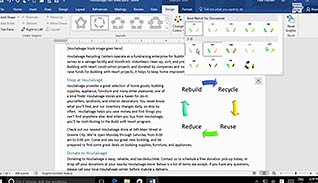
Microsoft Word 2016 Level 2.2: Customizing Formats Using Styles and Themes
Lessons: 5
Training Time: 25-33
Microsoft Word 2016 Level 3.2: Using Custom Graphic Elements
Lessons: 2
Training Time: 9-13
Microsoft Word 2016 Level 3.6: Using Forms to Manage Content
Lessons: 3
Training Time: 14-22
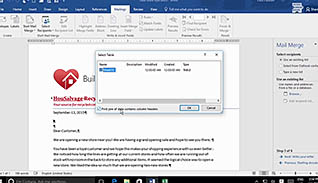
Microsoft Word 2016 Level 2.7: Using Mail Merge to Create Letters, Envelopes and Labels
Lessons: 5
Training Time: 16-24
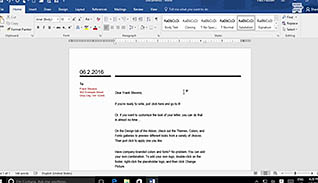
Microsoft Word 2016 Level 2.4: Using Templates to Automate Document Formatting
Lessons: 5
Training Time: 18-24
Microsoft Word 2016 Level 1.3: Working More Efficiently

Lessons: 3
Training Time: 18-23
Windows 8.1: Customizing the Windows 8.1 Environment
Lessons: 4
Training Time: 30-40
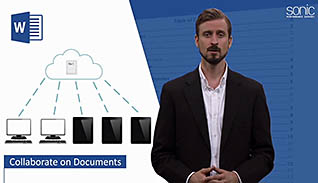
Microsoft Word 2016 Level 3.3: Collaborating on Documents
Lessons: 5
Training Time: 15-21
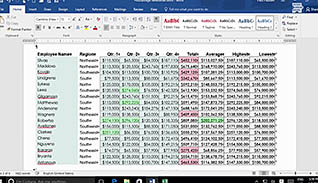
Microsoft Word 2016 Level 2.5: Controlling the Flow of a Document
Lessons: 4
Training Time: 17-25
Microsoft Word 2016 Level 1.7: Controlling Page Appearance
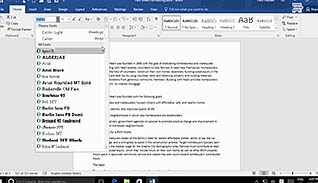
Lessons: 10
Training Time: 33-43
Microsoft Word 2016 Level 1.2: Formatting Text and Paragraphs
Lessons: 10
Training Time: 42-58
Microsoft Word 2016 Level 1.1: Getting Started with Word
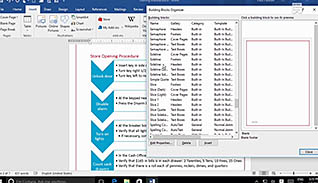
Lessons: 4
Training Time: 19-25
Microsoft Word 2016 Level 2.3: Inserting Content Using Quick Parts

Lessons: 2
Training Time: 16-22
Microsoft Word 2016 Level 1.6: Inserting Graphic Objects
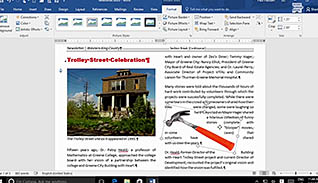
Lessons: 5
Training Time: 25-37
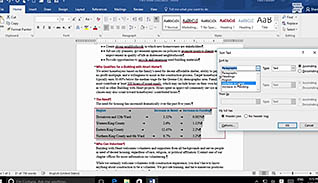
Microsoft Word 2016 Level 3.1: Manipulating Images
Lessons: 3
Training Time: 8-12
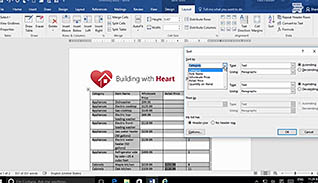
Microsoft Word 2016 Level 1.4: Managing Lists
Lessons: 6
Training Time: 29-41
Microsoft Word 2016 Level 2.1: Organizing Content Using Tables and Charts

Lessons: 3
Training Time: 16-22
Microsoft Word 2013: Customizing the Word Environment

Lessons: 3
Training Time: 19-25
Microsoft Word 2013: Editing a Document
Lessons: 7
Training Time: 46-59
Microsoft Word 2013: Formatting Text and Paragraphs
Lessons: 7
Training Time: 44-62
Microsoft Word 2013: Getting Started with Word 2013

Lessons: 2
Training Time: 18-22
Microsoft Word 2013: Inserting Graphic Objects

Lessons: 3
Training Time: 20-25
Microsoft Word 2013: Managing Lists

Lessons: 3
Training Time: 18-24
Microsoft Word 2013: Proofing a Document
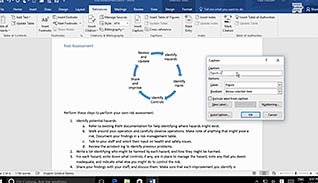
Lessons: 8
Training Time: 37-49
Microsoft Word 2016 Level 3.4: Adding Document References and Links
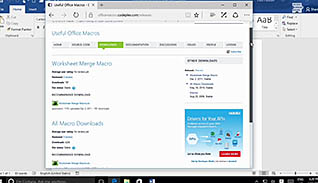
Lessons: 7
Training Time: 31-41
Microsoft Word 2016 Level 3.7: Automating Repetitive Tasks with Macros
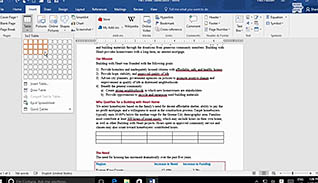
Lessons: 6
Training Time: 17-25
Microsoft Word 2016 Level 1.5: Adding Tables

Lessons: 6
Training Time: 14-24
Microsoft PowerPoint 2010: Working with Tables and Charts

Lessons: 3
Training Time: 12-20
Using Windows 10: Accessing Windows 10
Lessons: 4
Training Time: 11-17
Using Windows 10: Customizing the Windows 10 Environment

Lessons: 3
Training Time: 9-16
Using Windows 10: Installing and Removing Devices
Lessons: 3
Training Time: 9-16
Using Windows 10: Managing Files and Folders

Lessons: 5
Training Time: 14-20
Using Windows 10: Using Security Features

Lessons: 5
Training Time: 25-35
Using Windows 10: Using Windows Universal Apps and Desktop Applications
Lessons: 6
Training Time: 26-36
Using Windows 10: Using Cortana and Edge

Lessons: 4
Training Time: 29-37
Microsoft Word 2013: Adding Tables
Lessons: 4
Training Time: 23-30
Microsoft Word 2013: Controlling Page Appearance

Lessons: 15
Training Time: 102-109
Microsoft PowerPoint 2010: Creating a Basic Presentation

Lessons: 5
Training Time: 25-30
Microsoft PowerPoint 2010: Customizing a Design Template

Lessons: 3
Training Time: 17-22
Microsoft PowerPoint 2010: Collaborating on a Presentation

Lessons: 5
Training Time: 25-30
Microsoft PowerPoint 2010: Customizing the PowerPoint Environment

Lessons: 7
Training Time: 54-59
Microsoft PowerPoint 2010: Customizing a Slide Show
Lessons: 8
Training Time: 35-40
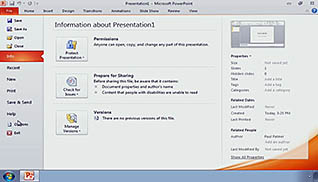
Microsoft PowerPoint 2010: Formatting Text on Slides
Lessons: 13
Training Time: 78-85
Microsoft PowerPoint 2010: Getting Started with PowerPoint 2010

Lessons: 9
Training Time: 61-66
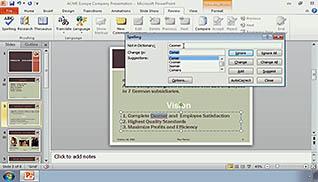
Microsoft PowerPoint 2010: Modifying Graphical Objects in a Presentation
Lessons: 7
Training Time: 51-56
Microsoft PowerPoint 2010: Preparing to Deliver a Presentation

Lessons: 5
Training Time: 31-36